# Identity verification
Sign your users' ids with HMAC-SHA256 so the chat widget can trust who they are.
When a signed-in user opens the widget, you can tell opendesk who they are. Without verification, anyone could claim to be any user. With it, opendesk accepts the identity only when it comes with a signature that only your server can produce.
Each chat widget has its own secret. Sign with the secret of the widget that runs on that site: a session is verified only by the widget whose secret signed it.
The signature is:
```
user_hash = hex( HMAC-SHA256( key = widget_secret, message = user_id ) )
```
A session that sends a valid `user_hash` for its `user_id` is marked **verified**, and its conversations attach to the contact with that external id.
1. **Get the widget's secret.** Open **Settings**, **Brands and widgets**, the brand, then the widget on its **Chat widgets** tab. Under **Identify signed-in users**, click **Rotate secret**. The new secret is shown once, so store it in your server's secrets. A new widget can also show its first secret right when you create it.
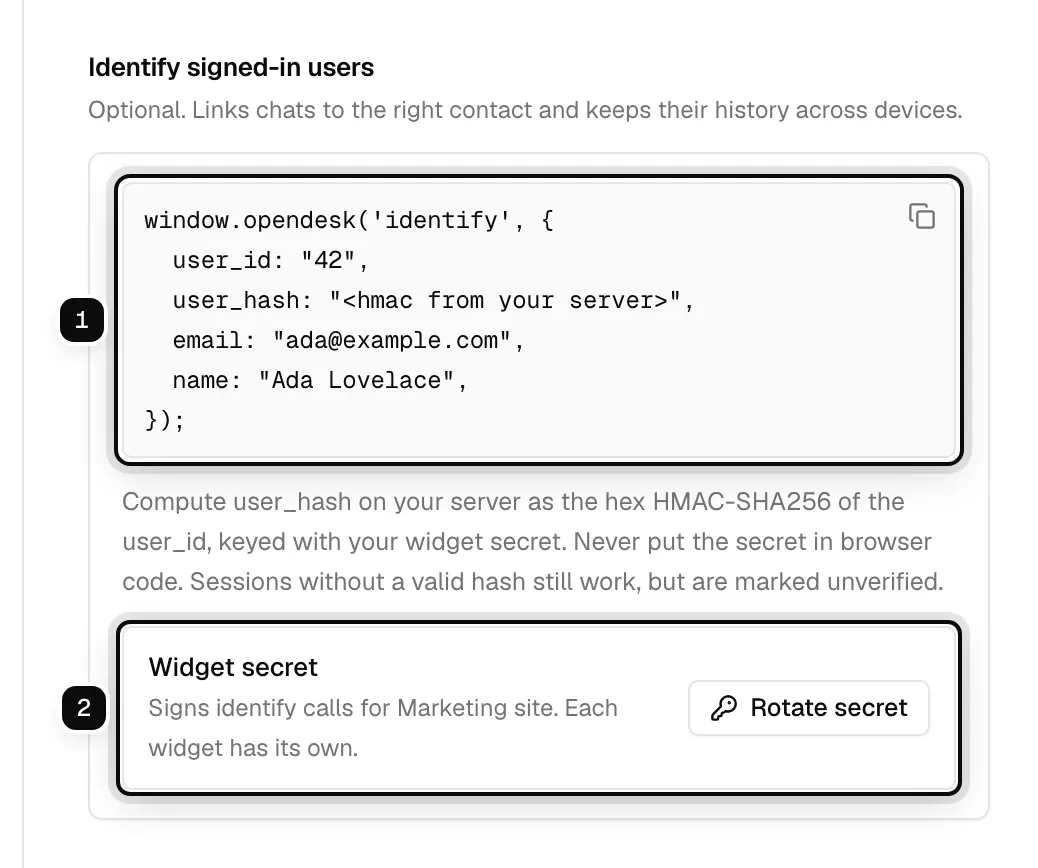
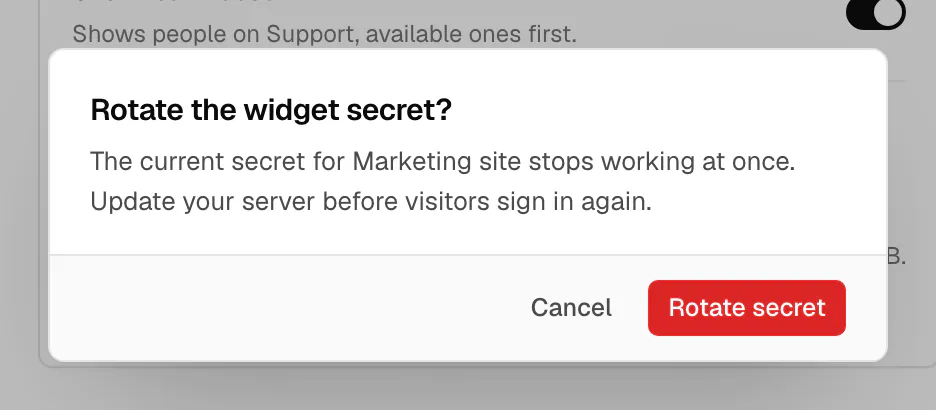
Rotating needs the admin role, two-factor authentication and a sign-in from the last 12 hours. The old secret stops working at once: every hash signed with it is refused until your server uses the new one. Chats already open keep working.
2. **Compute the hash on your server** for the signed-in user, with one of the examples below.
3. **Pass `user_id` and `user_hash` to the widget**, together with the optional `email` and `name`, as in the identify snippet on the widget's page. The widget sends them when it starts a session (`POST /v1/widget/session`).
## Examples
```js
import { createHmac } from 'node:crypto';
export function userHash(userId) {
return createHmac('sha256', process.env.OPENDESK_WIDGET_SECRET)
.update(String(userId))
.digest('hex');
}
```
```python
import hashlib
import hmac
import os
def user_hash(user_id: str) -> str:
secret = os.environ["OPENDESK_WIDGET_SECRET"].encode()
return hmac.new(secret, str(user_id).encode(), hashlib.sha256).hexdigest()
```
```go
package widget
import (
"crypto/hmac"
"crypto/sha256"
"encoding/hex"
"os"
)
func UserHash(userID string) string {
mac := hmac.New(sha256.New, []byte(os.Getenv("OPENDESK_WIDGET_SECRET")))
mac.Write([]byte(userID))
return hex.EncodeToString(mac.Sum(nil))
}
```
```php
```ruby
require "openssl"
def user_hash(user_id)
OpenSSL::HMAC.hexdigest("SHA256", ENV.fetch("OPENDESK_WIDGET_SECRET"), user_id.to_s)
end
```
## Check your hash
For the secret `test-secret` and user id `42`, every example above must return the same 64-character lowercase hex string. Compare your output across languages, or with:
```sh
printf '42' | openssl dgst -sha256 -hmac 'test-secret'
```
## Several widgets
All the widgets of a workspace share one set of user ids: a verified `user_id` is the same contact whichever widget verified it. So:
- Use the same user ids on two sites only when they are the same people, such as one account system behind both.
- Keep every widget's secret as safe as the others: each one vouches for the same ids.
- A visitor who was verified on one widget is verified on another only when that widget's own secret signed the same `user_id`. Otherwise they start there as a new, anonymous visitor.
## Tips
- Use a stable id that never changes for the user, such as your database primary key, not an email address.
- Send the id as a string. The hash is computed over its exact bytes.
- When a user signs out of your product, clear the widget session so the next visitor on the same browser does not see their conversations.